Why Game Modes Beat Traditional Flashcards for Vocabulary Learning
Why Game Modes Beat Traditional Flashcards for Vocabulary Learning
Most vocabulary apps run on one basic logic: I show you a word, you say the translation, you get feedback. That’s the traditional flashcard method — and honestly, it works. It’s just not enough.
Packlee Vocabulary Builder has four different game modes because memory doesn’t respond to just one type of activation. The more ways you encounter a word or phrase, the more deeply it gets encoded — and that’s exactly what games make possible.
Why Games Beat Plain Flashcards
There’s a concept in cognitive psychology called interleaving. It means that when we process the same information in different ways and different contexts, the memory becomes more flexible and more durable.
Traditional flashcard systems are linear: same stimulus → same response, always the same way. The brain eventually “automates” this — and that’s exactly the opposite of what we want. Automatic recognition is not the same as real knowledge.
In game modes:
- You encounter the word in a different form (choose a translation, fill a sentence, rearrange letters, match pairs)
- You give a different type of response (selection, typing, matching)
- You’re in a different emotional state (motivated, responding to a challenge)
This variety together produces much deeper processing — and consequently, more durable memory.
Packlee Vocabulary Builder’s 4 Game Modes
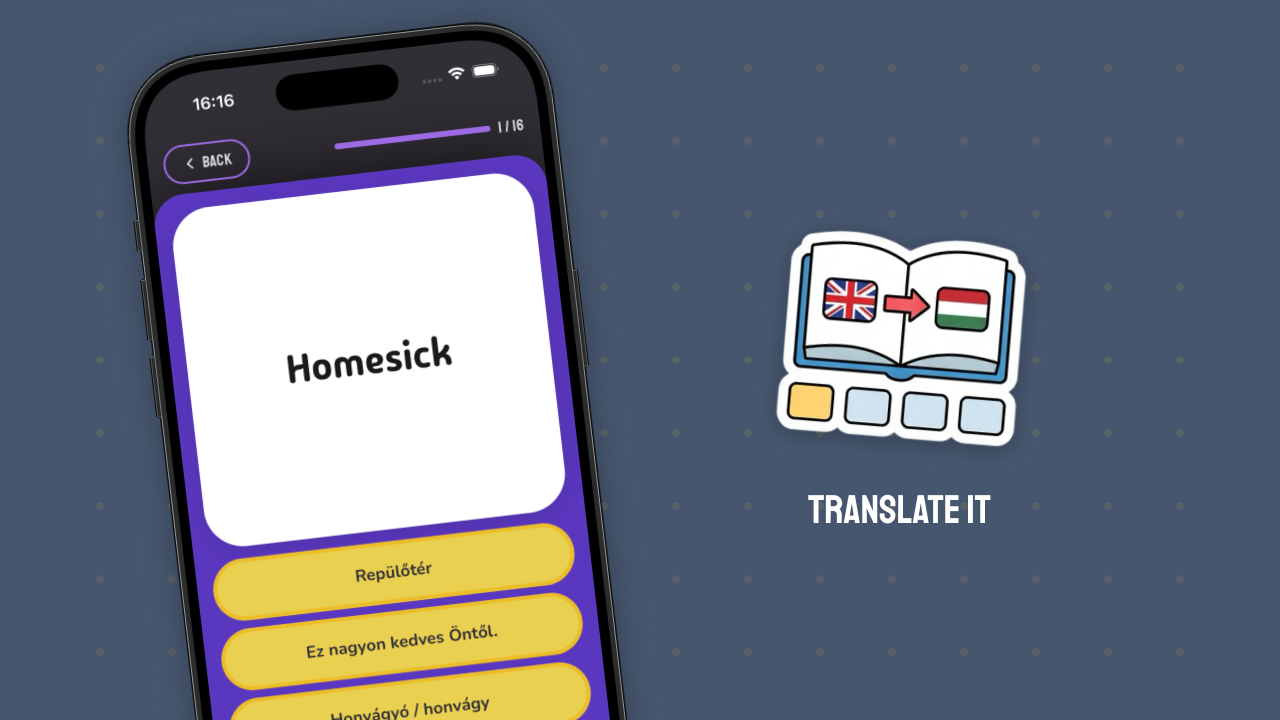
Translate It
Each round shows you a word or phrase — your task is to select the correct translation from the options provided.
This is the recognition-based mode. No typing required, just identifying the correct answer. Fast, easy to start, low cognitive energy — which makes it especially good when you don’t have much time, or want to warm up before a deeper session.
Best for: First encounters with new words and phrases, and quick review on the go.
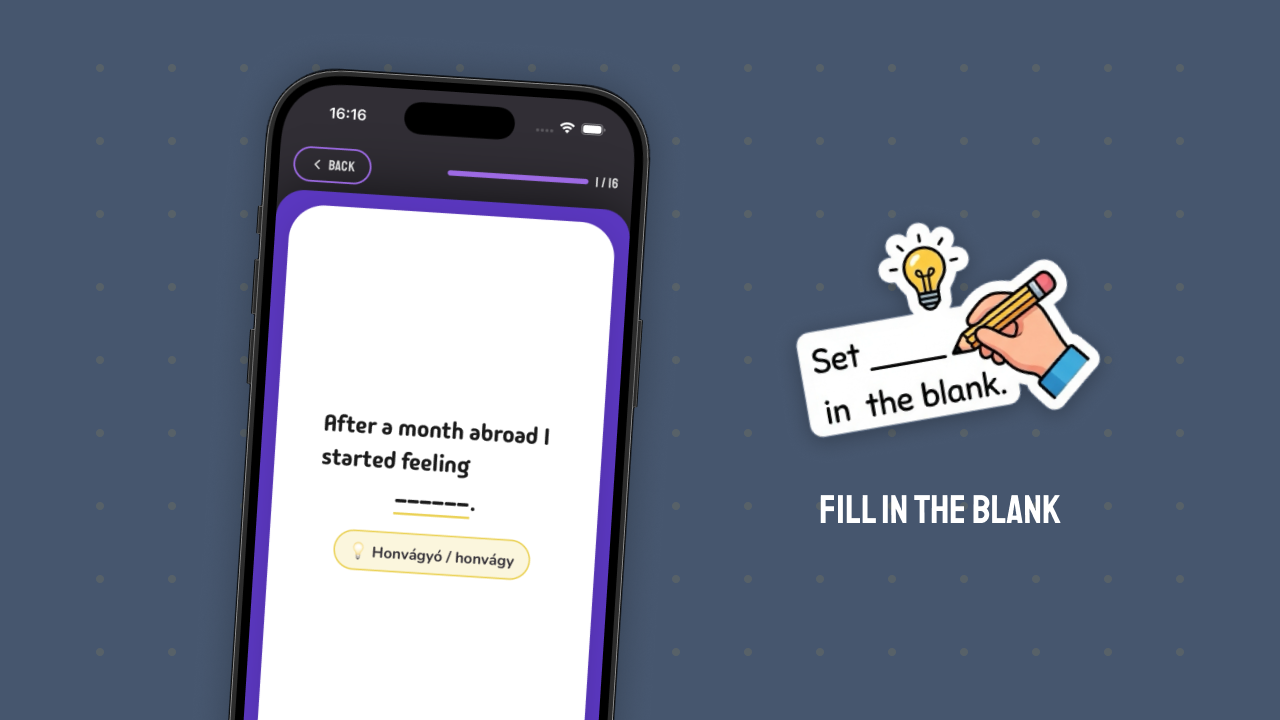
Fill in the Blank
A sentence appears with one word missing — your task is to type in the missing word or phrase.
This is the mode closest to actual language use. You encounter the word in context, not in isolation — which helps you understand how it fits into a sentence, its typical usage, and its meaning in the real world. Active typing also reinforces written memory.
Best for: When you already know the word at a recognition level and want to put it into real use.
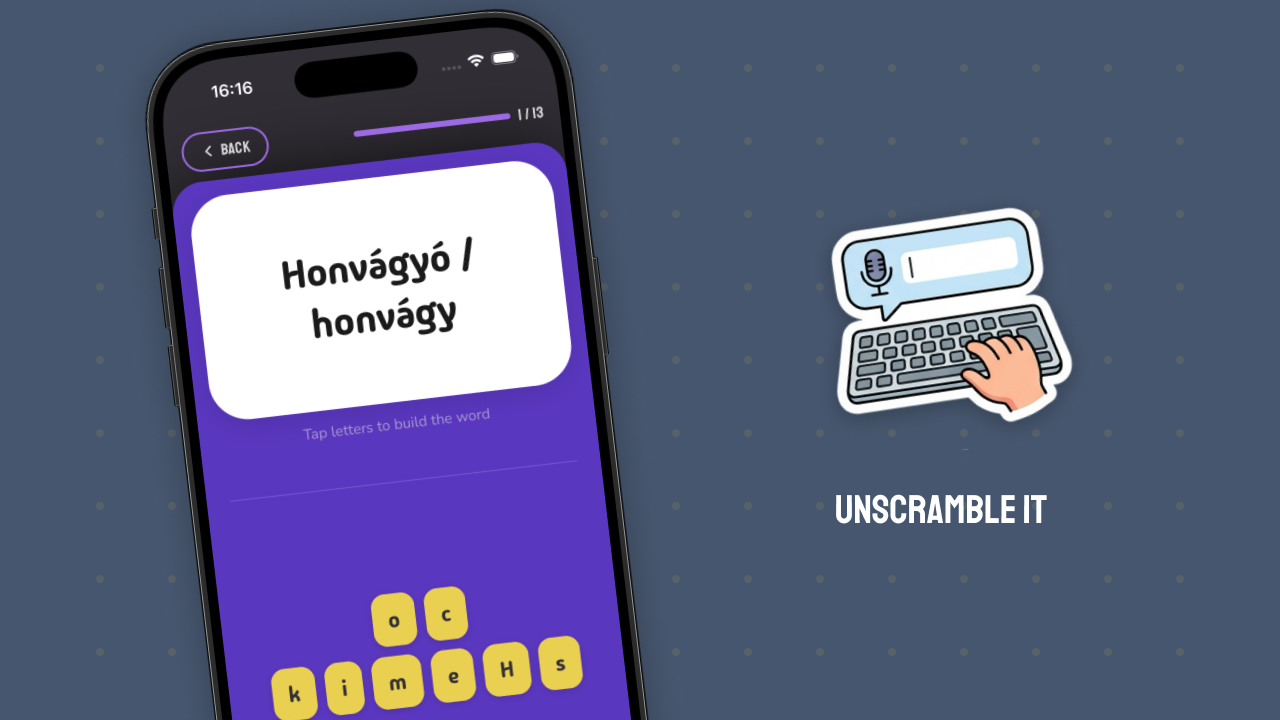
Unscramble It
The letters of the word appear in shuffled order — your task is to put them in the correct sequence.
This mode focuses on the shape and spelling of the word. Particularly useful for longer words and phrases where remembering the visual form matters. “Wrestling” with letters is a surprisingly effective memorization technique — because it requires active effort.
Best for: Harder, longer words, or when locking in the written form is also a goal.
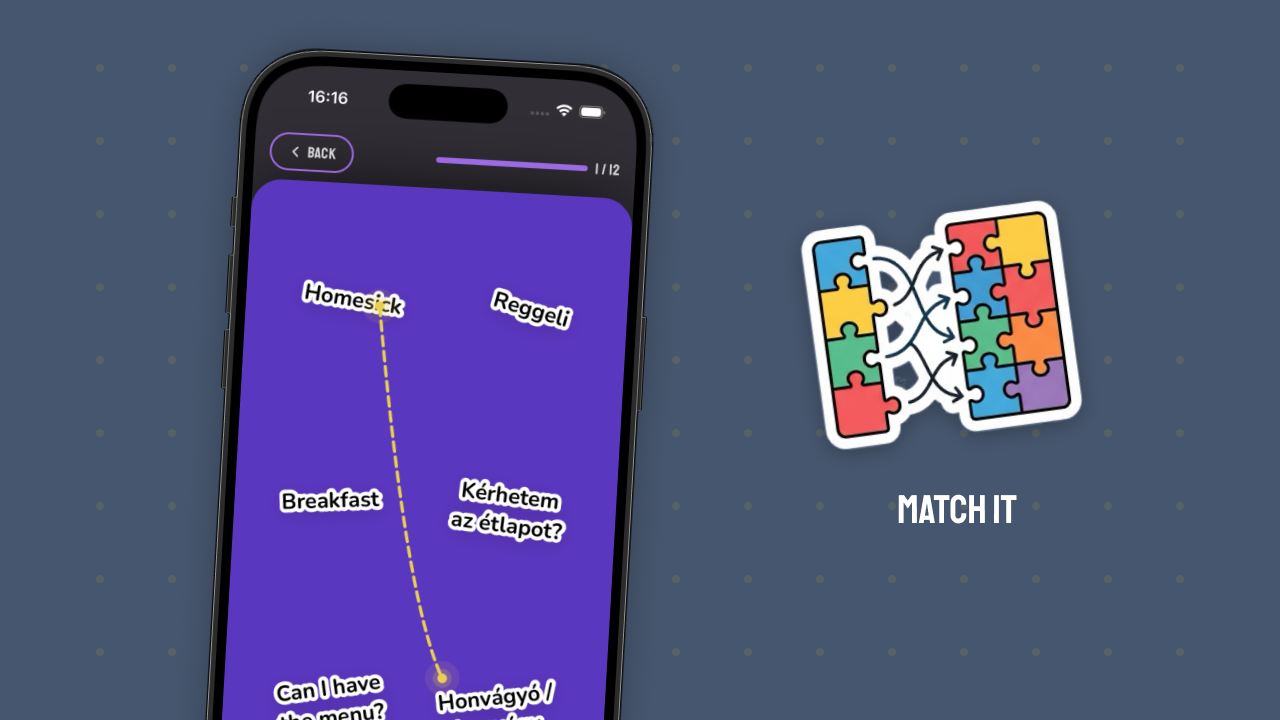
Match It
Multiple words and translations appear at once — your task is to connect the matching pairs.
This mode works with several words at the same time, which helps you become aware of the differences and similarities between them. It also gives good feedback on where uncertainty remains — if you get stuck on a pairing, that’s a signal that particular word needs more review.
Best for: When you have several words in your list and want to test your knowledge of them all at once.
Do You Have to Use All Four Modes?
Not required. If you have a favorite mode you enjoy — that’s completely fine. Packlee Vocabulary Builder was designed with four different games precisely so that everyone can tailor practice to their own learning style.
If someone loves Translate It because it’s fast and easy to start — that works. If someone prefers Fill in the Blank because context helps — that’s a perfectly valid choice too.
That said, it’s worth trying all four occasionally. Not because you have to — but because each one activates a different brain process, and what one mode doesn’t cement, another one might. Using all four together gives you a complete picture of whether you truly know a word, or only recognize it in one form.
A Suggested Progression
If you want to progress deliberately, here’s a proven order:
- First encounter → Translate It — recognize the form and translation
- A few days later → Match It — test your knowledge alongside other words
- A week or two later → Unscramble It — the written form gets locked in
- When you’re confident you know it → Fill in the Blank — it works in a real sentence too
Packlee Vocabulary Builder’s spaced repetition system automatically brings words back at the right time — you just decide which mode you want to work in.
Variety as a Strategy
One of the most useful things you can do: switch between modes. Don’t do the same thing in every session.
For example:
- On the go, quickly → Translate It (low cognitive energy needed)
- Lunch break → Match It (more active, but short)
- Evening, relaxed → Fill in the Blank (deeper focus)
Variety is itself a learning strategy. The brain performs better when it can’t “program itself” into a fixed pattern.
Summary
Packlee Vocabulary Builder’s four game modes — Translate It, Fill in the Blank, Unscramble It, Match It — aren’t just there to keep things interesting. Each one activates a different cognitive process and is useful at a different stage. You can use just the one you like best — but if you rotate through all four, words and phrases get encoded significantly more deeply than with any single method.
Download Packlee Vocabulary Builder and try the game modes →