Minutes.
Not hours.
A beautiful, distraction-free timer for short, intentional focus sessions — with animated styles and daily session tracking.
Simple timer. Deep focus.
No endless configuration. Pick a duration, watch it animate, finish something.
8, 16 or 24 Minutes
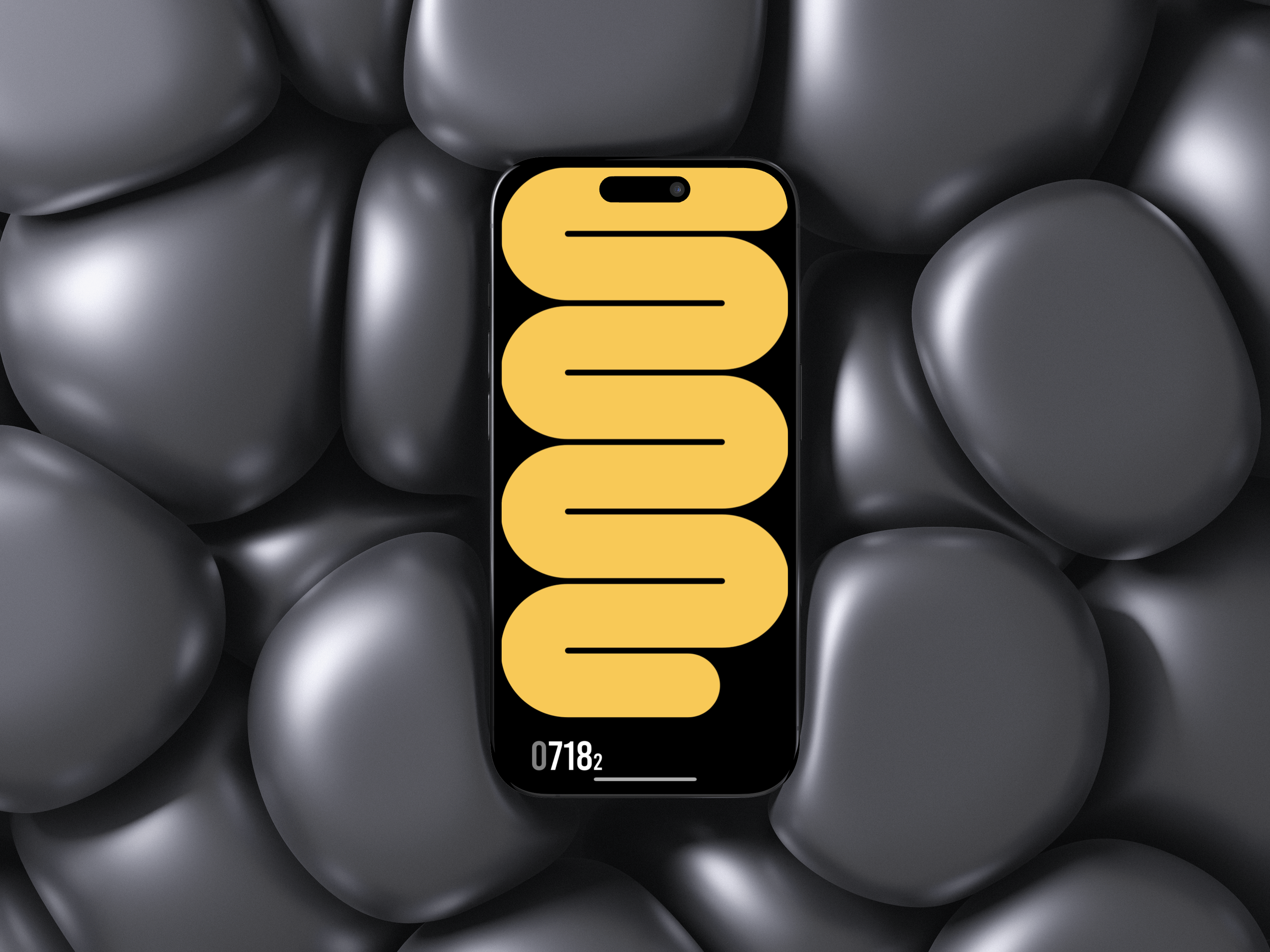
Four Animation Styles
Session History
Home Screen Widget
Start your first session.
Minutes to Focus is available on the App Store. Free to download.
Minutes to Focus for iPhone
Pick a duration, choose your animation, and focus. Track your sessions throughout the day and build a lasting habit.
Download on the App StoreFrequently asked questions
If you don't find your answer here, write to us.
-
Is Minutes to Focus free?
Yes, Minutes to Focus is free to download and use from the App Store.
-
Can I use custom timer durations?
The app offers three fixed durations: 8, 16 and 24 minutes. These were designed to encourage short, intentional focus blocks rather than open-ended timers.
-
What are the animation styles?
There are four: Snake with Clock (an animated snake traces the clock progress), Wavy (a fluid wave fills the screen), Mosaic (a grid pattern fills tile by tile), and Dot Grid (dots progressively fill a grid). Each style has a different visual feel.
-
Does the timer continue when I leave the app?
Yes. The timer runs in the background. Your session is counted as completed even if you switch apps during a session.
-
Where is my session history stored?
Session data is stored locally on your device. It is not uploaded to the cloud. The home screen widget reads from the same local storage.
-
What iOS version is required?
Minutes to Focus requires iOS 16.1 or later. Home screen widgets and Live Activity features require iOS 16.1 or later.
Need help?
We aim to respond to every message within 24 hours.