Your Dock.
Finally under control.
Create presets, switch layouts instantly from the menu bar, and let Focus Modes do the switching for you.
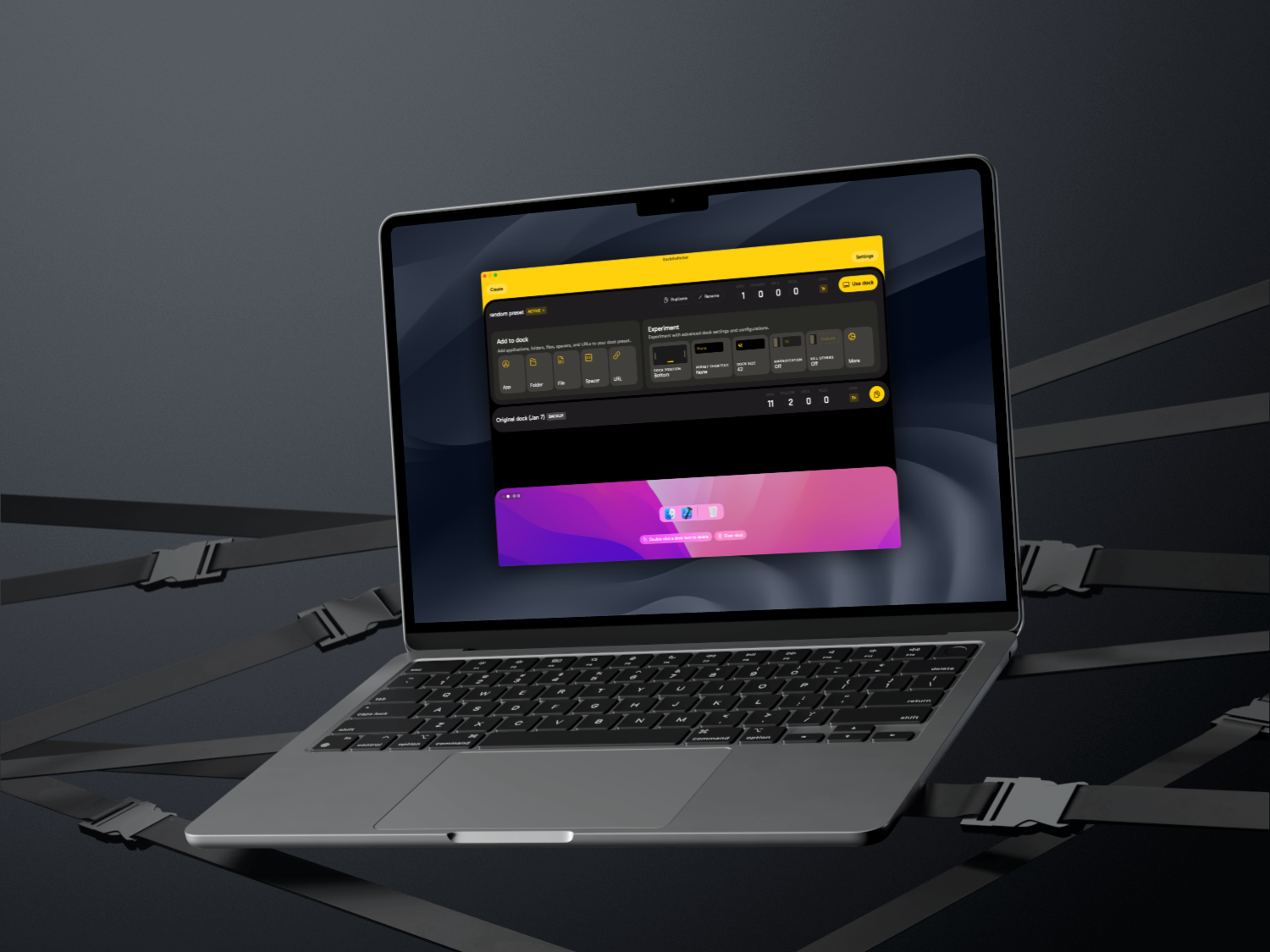
One Dock, every mode.
Stop rearranging your Dock manually. Create a preset for each context and switch in one click.
Dock Presets
Focus Mode Sync
Menu Bar Access
Custom URL Shortcuts
Try it free. Buy it once.
Download DockSwitcher and try every feature free for 72 hours — no account, no credit card. If you love it, unlock it with a one-time license.
Free Trial
Full access to every feature for 72 hours. Download, install, and start switching your Dock in minutes.
Download for macOS
Buy a License
One-time purchase. Lifetime updates. No subscription. Unlock DockSwitcher permanently on your Mac.
Buy on GumroadFrequently asked questions
Got questions? We have answers. Or write to us.
-
Is DockSwitcher free?
DockSwitcher comes with a free 72-hour trial — no account or credit card required. After the trial, a one-time license unlocks the app permanently on your Mac.
-
Does it modify system files?
DockSwitcher reads and writes the standard macOS Dock plist file and restarts the Dock process to apply changes — the same way macOS manages the Dock internally. No other system files are touched.
-
What macOS version is required?
DockSwitcher requires macOS 13 Ventura or later. Focus Mode integration requires macOS 13 or later.
-
Does it work with Focus Modes?
Yes. You can associate any preset with a Focus Mode in DockSwitcher settings. When that Focus Mode activates, DockSwitcher automatically applies the matching Dock layout.
-
Is the license tied to one Mac?
Each license is for a single Mac. If you use multiple Macs, you need one license per machine. Contact us if you have a specific use case.
-
Can I use keyboard shortcuts to switch presets?
Yes. You can assign a global keyboard shortcut to any preset in DockSwitcher settings, so you can switch your Dock layout instantly from any app.
Need help?
We aim to respond to every message within 24 hours.